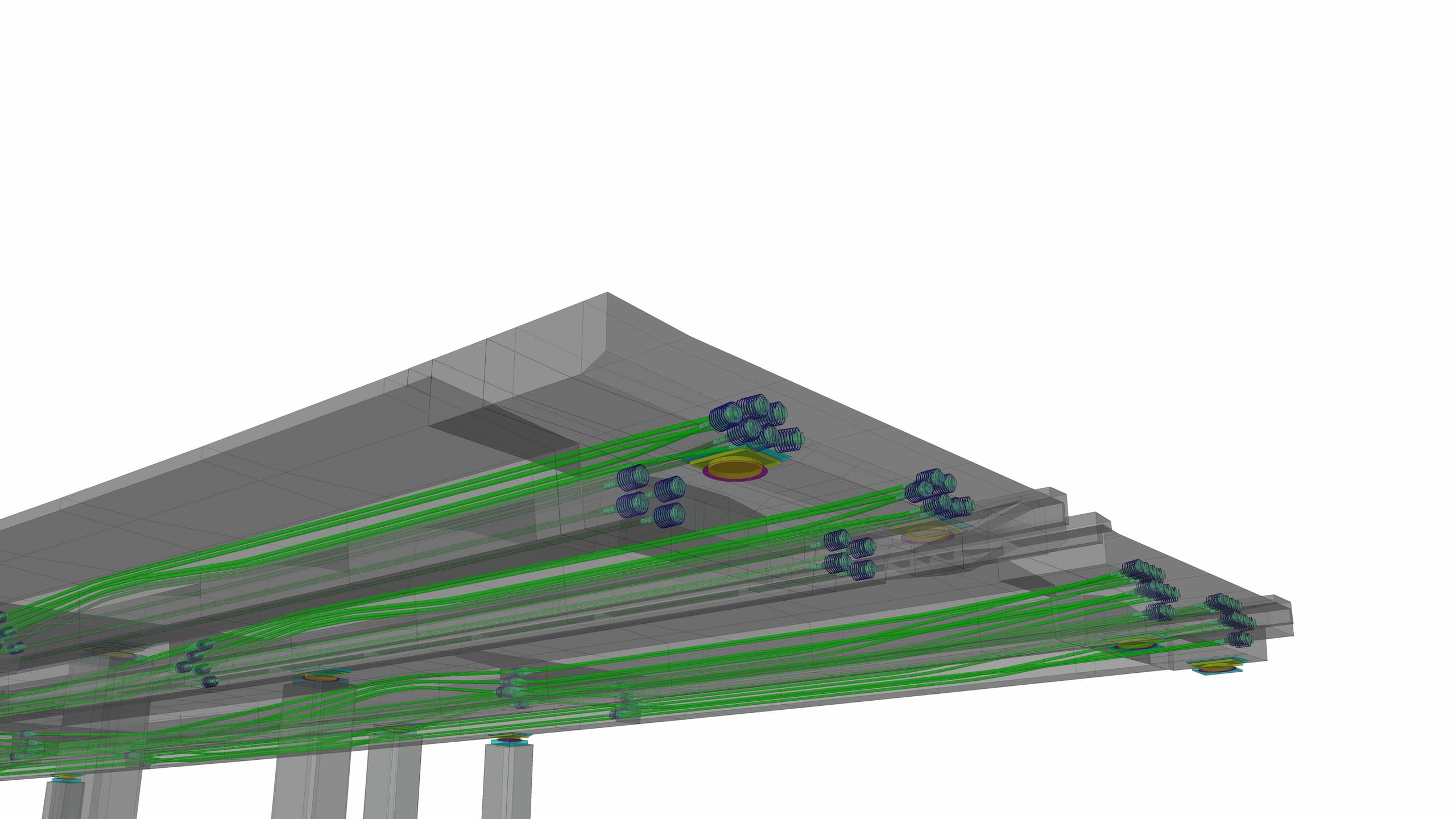
What the module does
The complete prestressing design in one tool.
Being able to define prestressing and set it out is a matter of course for bridge software. Easy Bridge® has a module that, besides setting out the tendons, offers their rendering in 3D, the drawing of cross-sections, a grid listing, a raw drawing of the horizontal and vertical alignment, the prestressing scheme, as well as a tendon and anchorage take-off.
- Define the number of strands, the type and kind of anchorage at the start and end
- Set the stressing side, or re-stressing
- Generate drawings, take-offs, setting-out and 3D geometry
- Export/import geometry to/from analysis software
- Support for the prestressing systems of all major suppliers
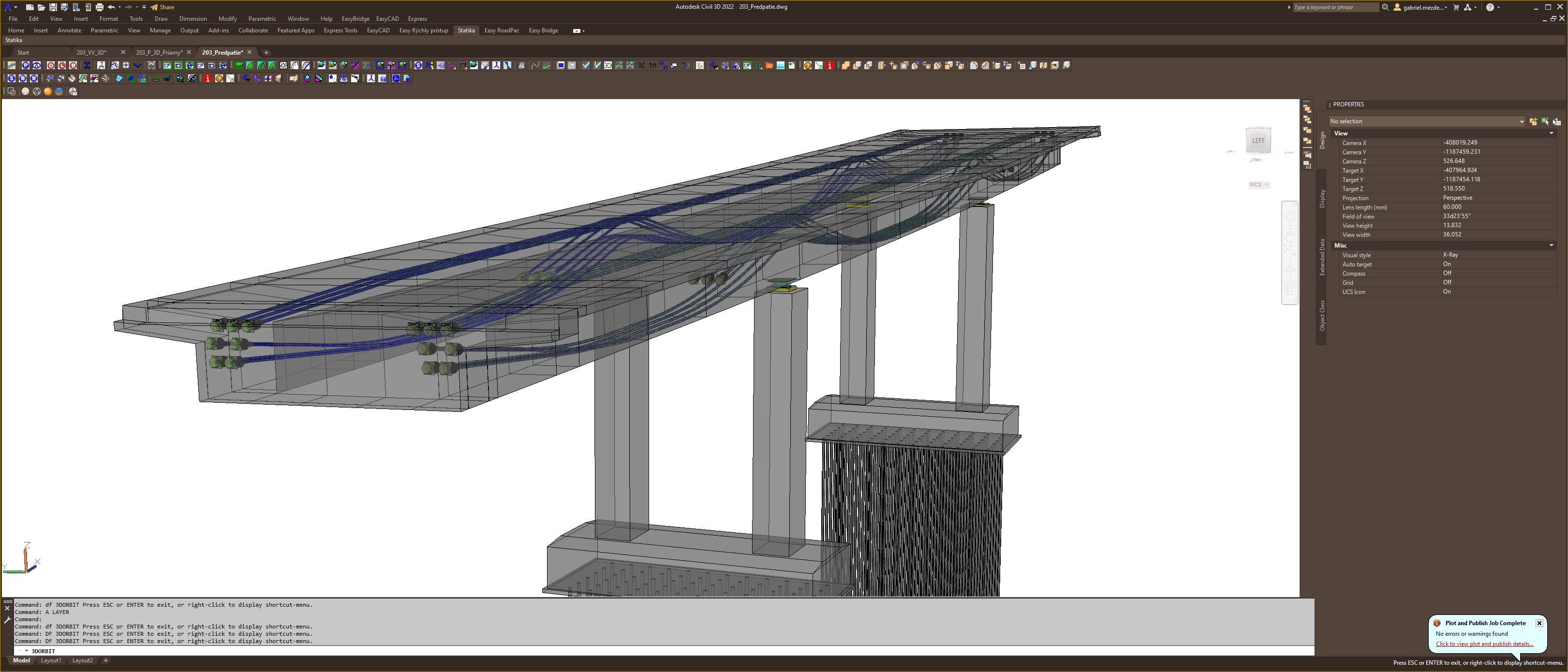
3D model of the prestressing tendons — balanced cantilever construction
Outputs
Schemes, drawings and take-offs automatically.
The program generates a complete basis for the designer — from the prestressing scheme through cross-sections to material take-offs. All outputs arise directly in the AutoCAD environment from a single input.
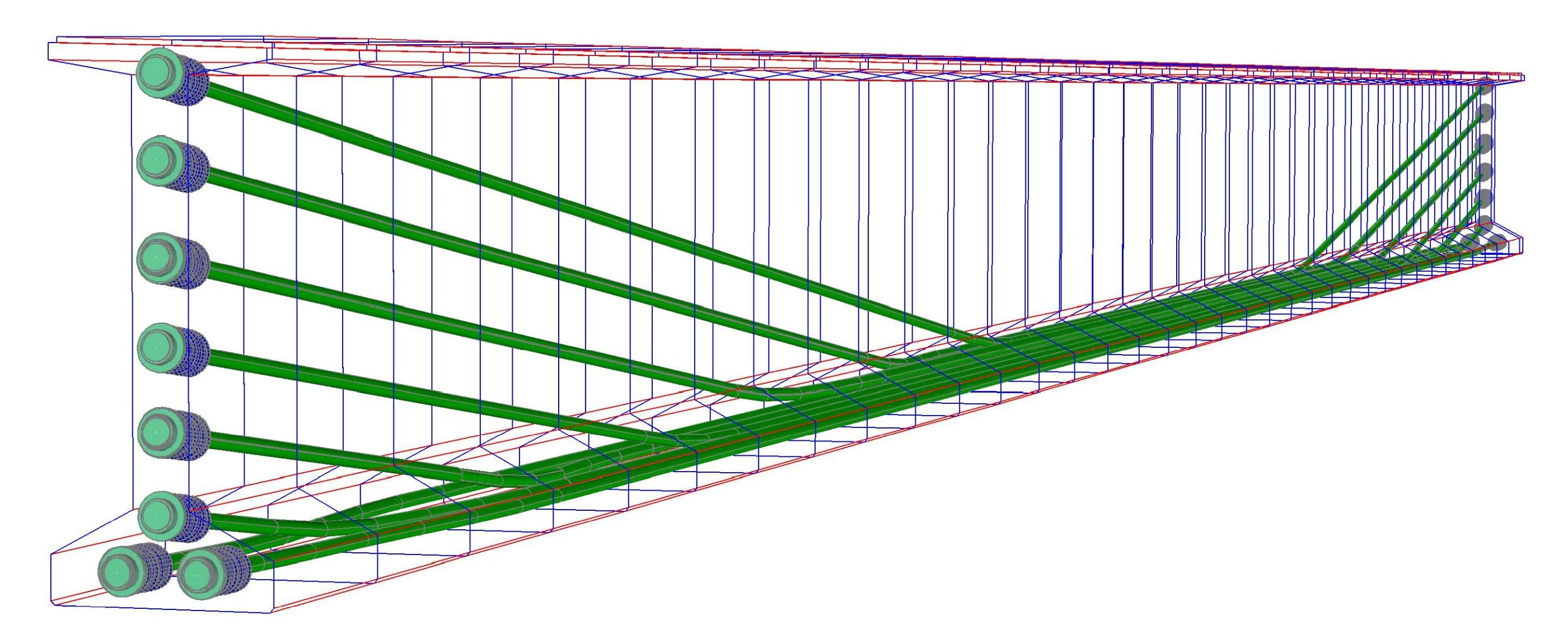
Prestressing scheme
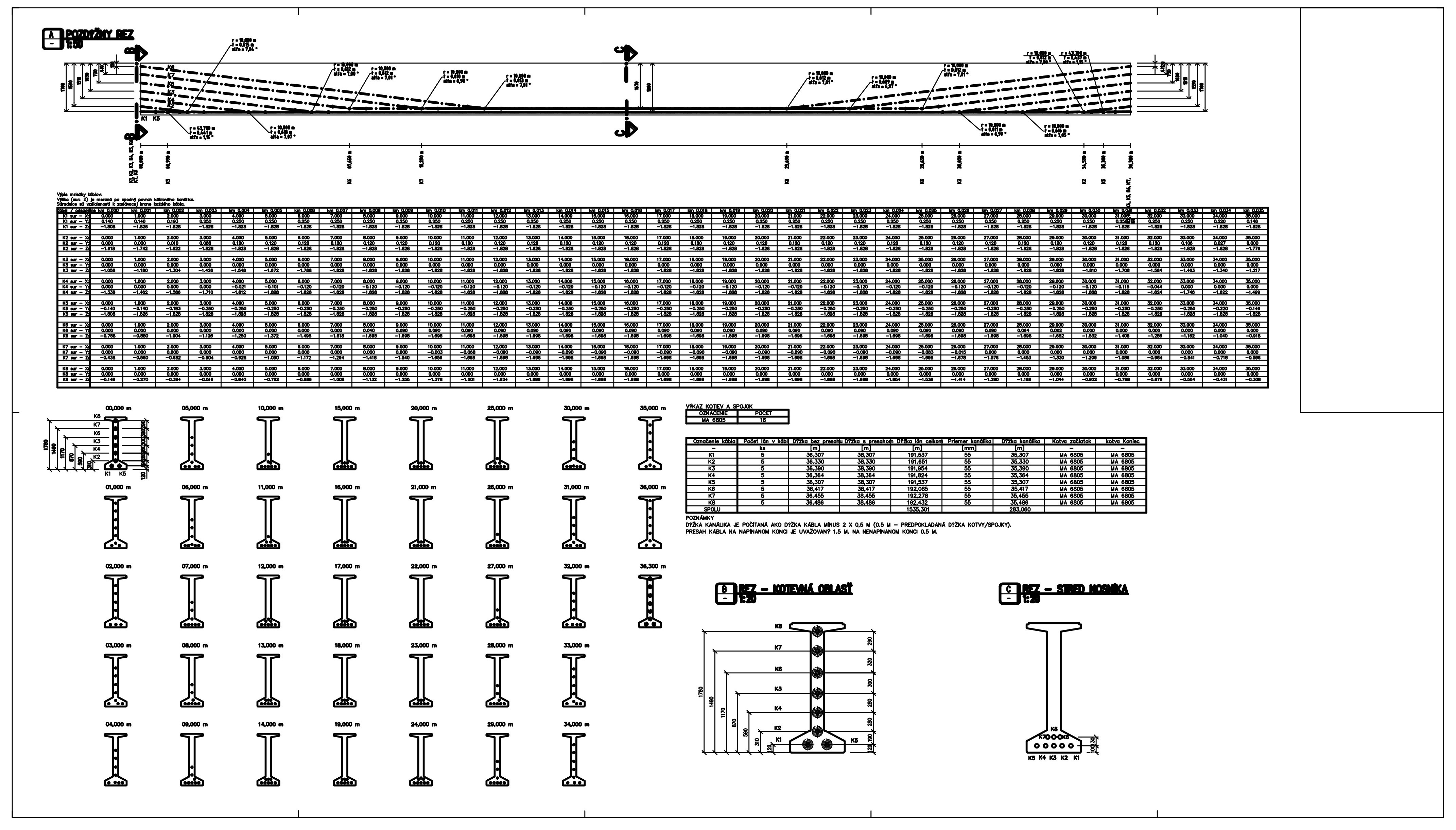
Generated tendon layout, grid, cross-sections and take-offs