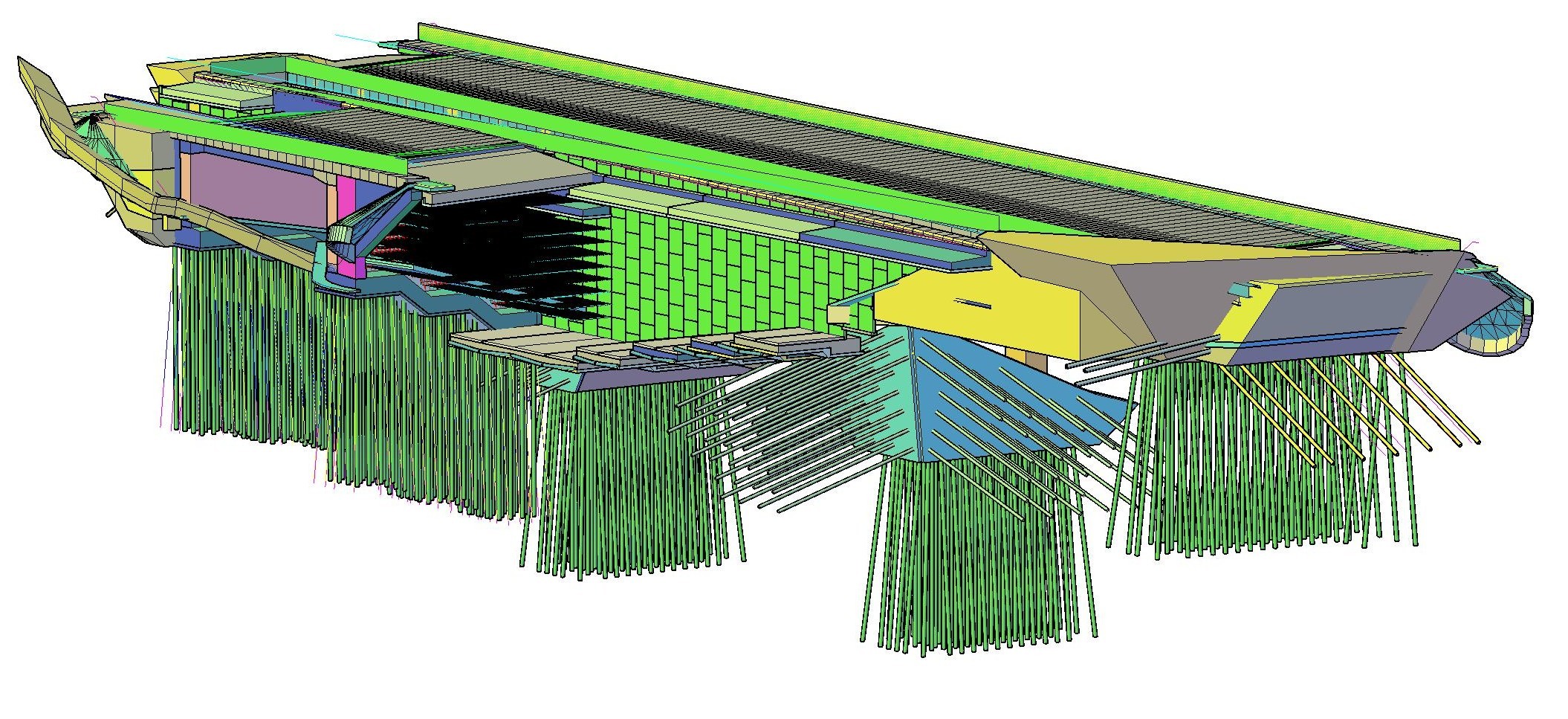
A 3D model right in AutoCAD as an intelligent block. Insert 3D entities into it, cut with any curve — not just a straight line — and the sections are inserted automatically as blocks. When the model changes, every section updates itself.
Function
The interactive model is an AutoCAD block driven by Easy CAD functions. Into the block you insert 3D entities — directly from Easy Bridge® modules or your own — and then generate drawings and sections from it. The block remembers every cutting curve and every section created. If the model changes, a single command brings all sections up to date.
Workflow
The traditional AutoCAD process is linear — the model is drawn and the drawings are created from it once. If the model changes, the drawings have to be redrawn by hand. The interactive model reverses this: the model is live, the drawings depend on it and a change propagates automatically.
What the Interactive model solves
A container for 3D entities directly in the AutoCAD environment — no external tools.
Cutting with arcs and polylines — the section follows the bridge alignment, not just a plane.
Each section is a block inserted into the drawing — consistent, easy to update.
The block stores the cutting curves and the list of generated sections.
Model change → one command → all sections up to date.
From the same model you generate plans, longitudinal sections and transverse sections.